

-10% sur votre 1re commande BIENVENUE10 Livraison < 24h Paiement sécurisé Entreprise suisse
VMWARE · CLÉ D'ACTIVATION

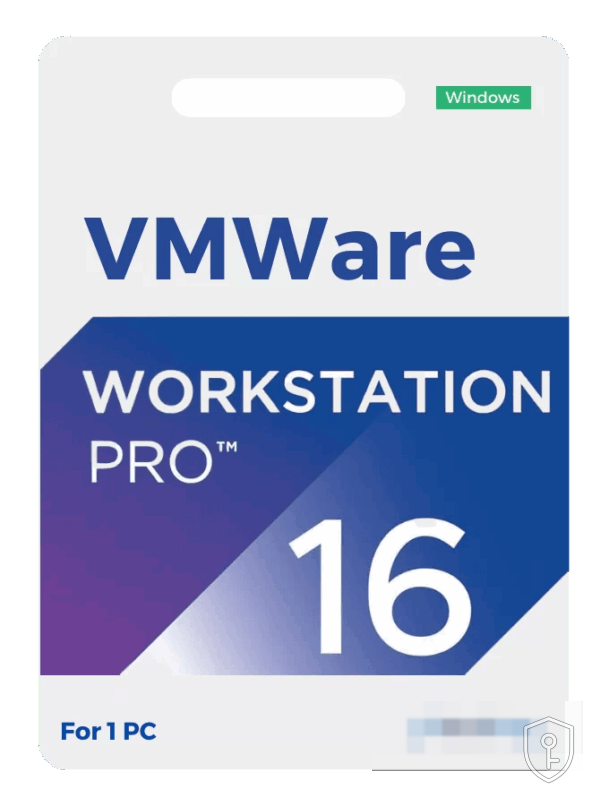
VMWare Workstation Pro 16

CHF46.93

Livraison en moins de 24h. Votre clé et le guide d'activation arrivent par e-mail après paiement.

Clé 100% authentiqueGarantie ou remboursé
Paiement sécuriséSSL · carte, TWINT
Entreprise suisseBasée à Lausanne
Support réactifWhatsApp & e-mail

Description

VMWare Workstation Pro 16

Discover the ultimate virtualization solution with VMware Workstation Pro 16, available for purchase at chkey.ch! Transform your PC into a powerful virtualization platform, allowing you to run multiple operating systems simultaneously on a single machine. With Workstation Pro 16, you’ll enjoy enhanced performance, seamless integration with VMware vSphere and other cloud services, and advanced features like support for DirectX 11 and OpenGL 4.1, making it ideal for professionals, developers, and IT enthusiasts. Take your virtualization game to the next level with VMware Workstation Pro 16 from chkey.ch, the trusted source for software solutions. Get it now and unlock a world of possibilities!

Key Features:

  1. Advanced Virtualization: VMware Workstation Pro 16 allows you to run multiple operating systems on a single PC, making it ideal for testing, development, and system administration. Whether you’re a software developer needing to test your applications on different platforms or an IT professional managing complex environments, this software has you covered.
  2. Powerful Virtual Machines: Create, customize, and manage virtual machines with ease. Workstation Pro 16 offers an intuitive interface that simplifies the process of setting up and configuring VMs. Plus, it supports a wide range of guest operating systems, including Windows, Linux, macOS, and more.
  3. Exceptional Performance: Experience blazing-fast performance and enhanced graphics thanks to support for DirectX 11 and OpenGL 4.1. Whether you’re running resource-intensive applications or playing graphics-intensive games, Workstation Pro 16 ensures a smooth and responsive virtualization experience.
  4. Remote Work Made Easy: Stay productive from anywhere with remote access to virtual machines. Workstation Pro 16 makes it simple to connect to your VMs from a remote PC, tablet, or even a smartphone, ensuring you can work efficiently no matter where you are.
  5. Snapshot and Cloning: Protect your virtual machines by taking snapshots and cloning them. Snapshots allow you to save the state of a VM at a specific point in time, making it easy to revert to a stable configuration if something goes wrong during testing or development.
  6. Integration with vSphere and vCenter: Seamlessly connect and manage virtual machines on your local system and remote vSphere and vCenter environments. This integration streamlines your workflow and enhances your ability to manage and scale your virtual infrastructure.
  7. Secure and Isolated Environments: Keep your virtualized environments secure with features like Secure Boot, TPM 2.0, and virtual Trusted Platform Module (vTPM). Ensure that your virtual machines are isolated and protected from potential threats.
  8. Comprehensive Technical Support: Rest easy knowing that VMware offers top-notch technical support, including access to a vast knowledge base, community forums, and expert assistance, ensuring you get the help you need when you need it.

System Requirements:

Operating System (64-bit):

  • Windows 10 (recommended)
  • Windows Server 2019 (recommended)
  • Windows Server 2016
  • Windows Server 2012 R2
  • Windows 8. x

CPU: A 64-bit x86 processor with 1.3 GHz or faster core speed

RAM: 2 GB RAM minimum (4 GB RAM or more recommended)

Disk Space:1.5 GB free disk space for installation

Graphics: A DirectX 11 compatible video card or integrated GPU with 1 GB or more dedicated video RAM (2 GB or more recommended)

Network: A network adapter is required

Informations produit

RéférenceBD1-13344
CatégorieVMware
DisponibilitéEn stock
LivraisonE-mail < 24h

Comment activer votre clé

Vous recevez votre clé d'activation par e-mail en moins de 24h après le paiement (souvent en quelques minutes).
Rendez-vous sur la plateforme concernée (Steam, compte Microsoft, ou le logiciel installé) et saisissez votre clé dans le champ d'activation prévu à cet effet.
La vérification et l'activation se font automatiquement. En cas de souci, notre support vous accompagne sur WhatsApp.

Avis clients

Aucun avis pour l'instant — soyez le·la premier·ère à donner votre avis sur ce produit.

Avis

Il n’y a pas encore d’avis.

Soyez le premier à laisser votre avis sur “VMWare Workstation Pro 16”

Votre adresse e-mail ne sera pas publiée. Les champs obligatoires sont indiqués avec *

Produits similaires

D'autres clés dans la même catégorie.
Voir tout
Message WhatsApp +41 772 78 36 36